RoboTool supports graphical modelling, validation, and automatic generation of mathematical definitions for proof of properties of RoboChart models, with proof automated using model checking. The RoboChart notation is distinctive in its features that support architectural modelling as well as timed constructs in state machines.
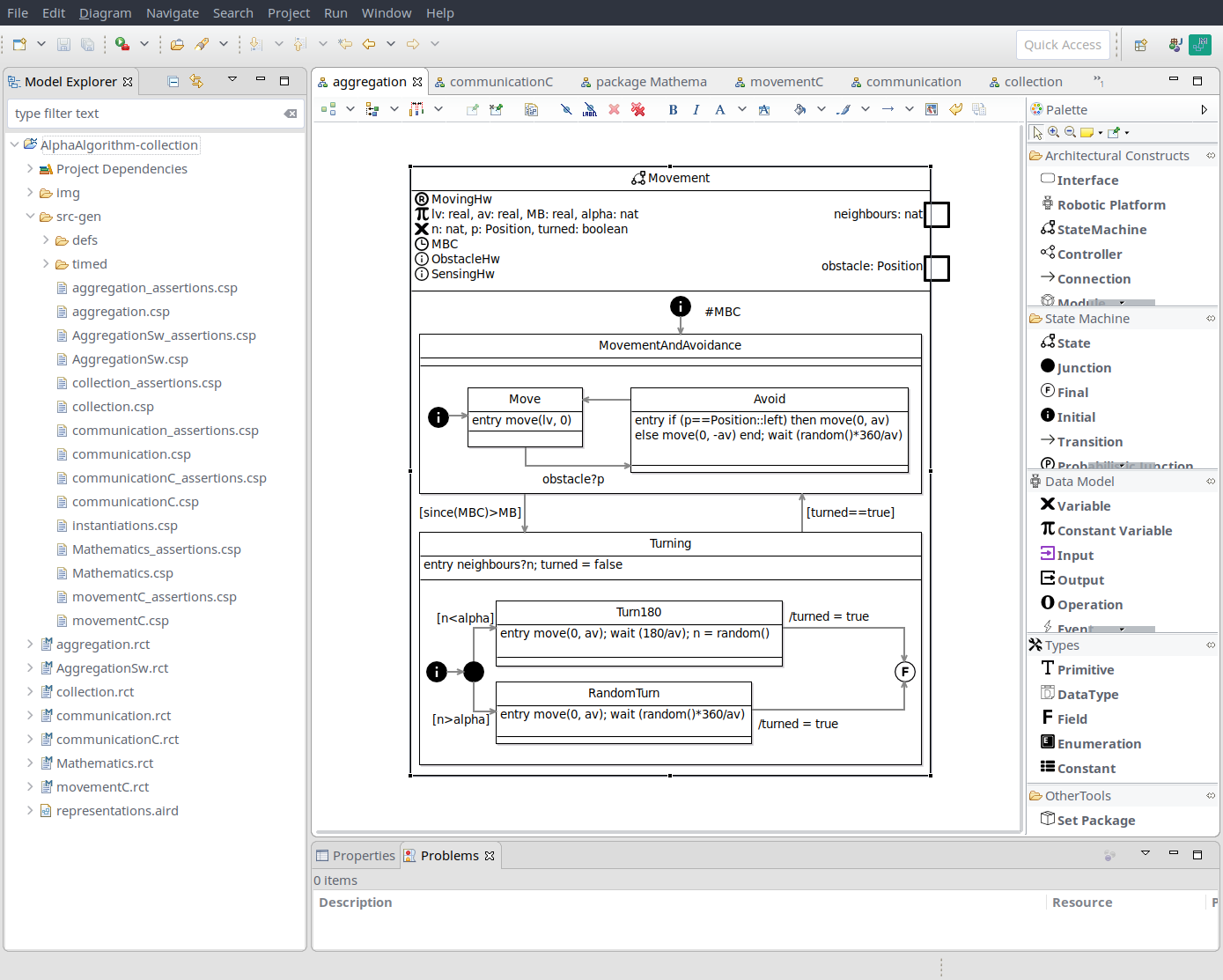
Below you can find the RoboTool reference manual that describes in detail how to install and use the tool. We include direct links to the ECore models that implement the metamodels of RoboChart and RoboSim in Eclipse.
Reference manuals for the notations supported by RoboTool are in available in the Notations section.
Currently, the recommended way to install RoboTool is by using the latest Eclipse installer 2023-09 and using the product https://robostar.cs.york.ac.uk/robotool.setup following the installation procedure described in Section 2.1 of the RoboTool manual.
Alternatively, RoboTool can be installed using the update https://robostar.cs.york.ac.uk/robotool/update/ from within a working installation of Eclipse 2021-12.
Currently, RoboTool targets Eclipse 2021-12, and runs on Java 17. Please note that the graphical editors for RoboChart and RoboSim are incompatible with versions of Eclipse 2022. We suggest installing RoboTool on the package Eclipse Modeling Tools to avoid conflicts between dependencies. Installation is also possible using the Eclipse installer, which also provides the facility to install Java at the same time.
Installation of RoboTool plugins may fail with a cryptic error message “Public key not found for 70b824d9a6b4ae29”. To workaround this problem, go to Preferences > Install/Update > Available Software Sites and disable the following two entries:
There should be an entry for the correct Eclipse release 2012-12 (http://download.eclipse.org/releases/2021-12), which should be left enabled.
To use the RoboCert plug-in, please follow the instructions at https://github.com/UoY-RoboStar/robocert-evaluation/blob/main/tool/README.md. Please note that the RoboCert plug-in requires running Eclipse with Java 17.
If you have docker installed in your machine, you can use this bash script to run RoboTool (version 1) from docker on Linux. A verion of this script for Mac will be available soon, and the possibility of using docker on Windows is being investigated.
The script downloads the latest image, maps your home folder to the woring directory of the docker image, maps a folder .robotoolsettings to the .settings folder of the docker eclipse installation in order to persist settings, and runs eclipse. The script has a few options (use -h to see the options) to access the container iteratively using bash, as well as to access it as root.
Subscribe to the RoboTool announcement mailing list below to receive notifications about new updates.








Department of Computer Science
Deramore Lane, University of York, Heslington, York, YO10 5GH, UK
Tel: 01904 325500
University of York legal statements
